
How To Use Coupon Codes
Applying a Discount Code
Desktop
Navigate to the checkout page. In the order summary on the right-hand side, you’ll find a field where you can enter your coupon code.
Mobile
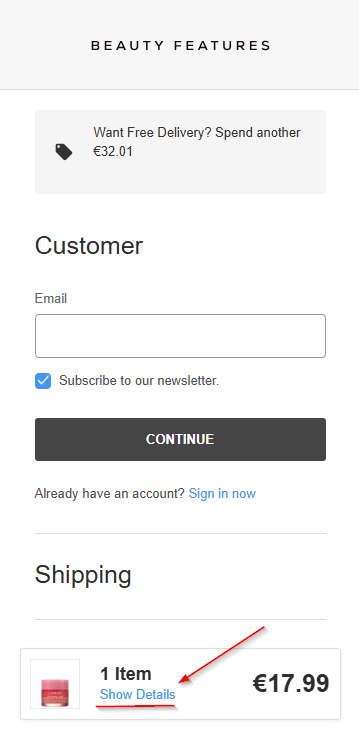
Go to the checkout page. To apply your discount code, tap "Show More" to reveal your order details.
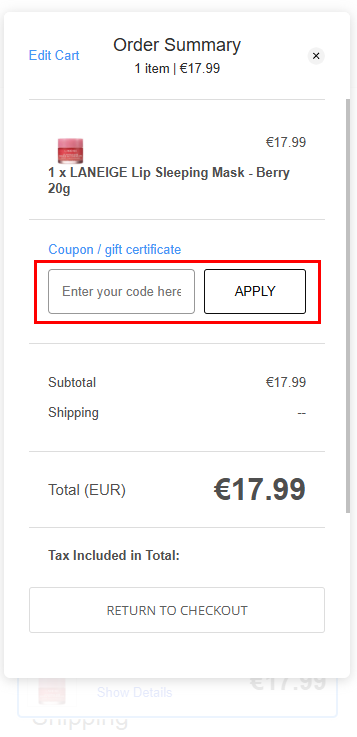
You’ll then see the field to enter your code. Be sure to tap "Apply" before proceeding with your order.
Please Note
Some exclusions may apply. Free shipping codes require you to enter your address before they can be applied. For full details, please refer to our Terms & Conditions page.